Getting Started with BLUE REFLECTION Quartet
Launch the compilation, configure languages and QoL, and begin Hinako's story with the right expectations.
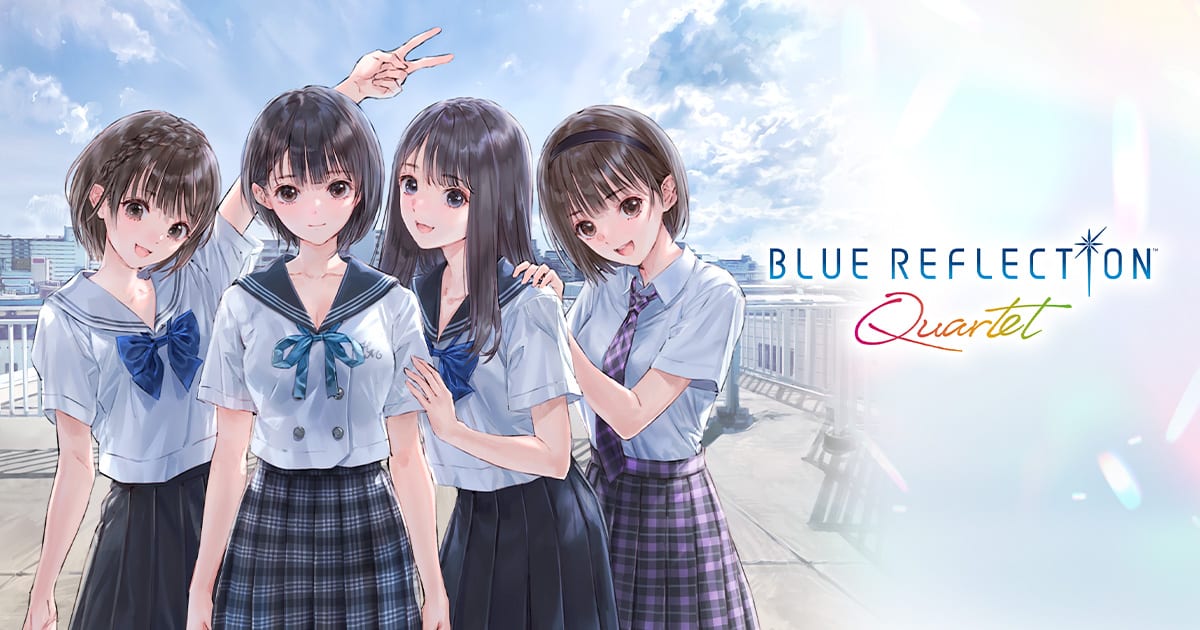
Before you press start
BLUE REFLECTION Quartet is a multi-game anthology—not a single continuous RPG. Gust and KOEI TECMO bundle remastered BLUE REFLECTION, playable condensed RAY, rebuilt SUN, and remastered Second Light with eight extra party members, plus a Reference Database and Mel Kishida Gallery. Your first session should focus on launcher literacy, platform rules, and picking an opening title that matches your patience for school sims versus open-world exploration.
Quartet launched July 29–30, 2026 and is out now on PS5, Switch, Switch 2, and Steam. If you are starting during launch week, run the Launch checklist for frame redemption before August 12, 2026, compare SKUs on Platform comparison, and watch the launch trailer on Trailers and media.
Step 1: Choose your platform wisely
All versions contain the same four games, but hardware commitments differ:
- Steam (3825390) — check Windows 11 specs on Platforms and requirements; SSD recommended for 55 GB installs
- PS5 — balanced performance for long sessions
- Switch / Switch 2 — separate purchases with no save transfer; pick the handheld generation you will keep for 70 to 80 hours
Once you buy, expect no import of old saves or DLC from standalone releases. Quartet adds its own episodes and voice lines instead—see What’s Included.
Step 2: Set language and audio
Open the launcher options before entering any game:
- Text: English, Japanese, Traditional Chinese, or Simplified Chinese
- Voice: Japanese performances are primary across all four titles
Align UI and subtitle languages to avoid menu drift when swapping games mid-evening. Details on Languages and audio.
Step 3: Enable compilation QoL toggles
Quartet layers quality-of-life on top of each remaster or rebuild:
- Autosave where the original supported it
- Faster movement in applicable hubs
- Battle speed adjustments for Ether and Second Light-style fights
- Event skip and fast-forward for repeated cutscenes
- Higher-resolution textures on supported hardware
Configure these in the shared options menu—our QoL features page explains trade-offs (skipping can hide bond cues). Enable battle speed before SUN if you are jumping there early.
Step 4: Pick your first game
Suggested narrative order is BLUE REFLECTION → RAY → SUN → Second Light, and newcomers should follow it. Quartet allows any order, with a completion bonus teased for finishing all four.
| If you are… | Start with… |
|---|---|
| New to the franchise | BLUE REFLECTION |
| Anime-only fan | RAY after skimming Hinako lore in Reference Database |
| Manga reader | SUN once you accept Second Light combat rules |
| Returning for Ao | Second Light—but expect spoilers without prior games |
Whichever you choose, read Recommended play order for hour estimates and spoiler boundaries.
Step 5: Understand save structure
Each game maintains its own progress inside Quartet. Clearing Hinako does not unlock Ao’s gear automatically. There is no cross-save between Switch and Switch 2 SKUs. PlayStation and Steam follow standard cloud save policies for their ecosystems—back up before uninstalling.
Manual saves still matter before boss rushes or photography outings in Second Light, even with autosave improvements.
Step 6: Your first hour in BLUE REFLECTION
If you follow the recommended path, your opening hour introduces:
- School mode — schedule social links between classmates
- Otherworld gates — dungeon entry tied to emotional themes
- Reflect transformations — Hinako becomes a magical girl Reflector
- Ether battles — timing-based combat with support skills
Use How to play BLUE REFLECTION for button layouts and Systems for deeper mechanics. When the story references unfamiliar faces, pause and open the in-compilation Reference Database—timelines and relationship charts clarify connections without leaving the game.
Step 7: Plan secondary tools and bonuses
Non-game modules sit on the main menu:
- Reference Database — spoiler-light timeline browsing when configured carefully
- Mel Kishida Gallery — art archive for costume reference
Preorder players redeem four Second Light photo frames plus a free limited Quartet frame until August 12, 2026—see Preorder bonuses. Frames matter only when you reach photo mode; they do not affect early-school chapters.
Step 8: Branch into the wider wiki
After your first session, bookmark:
- Walkthrough for chapter goals
- Characters for bond schedules
- Tier list once SUN or Second Light parties form
- Tools for community utilities
- Review for editorial context on the compilation value proposition
Common first-day mistakes
- Starting Second Light without context, then blaming confusion on difficulty—Ao assumes franchise literacy
- Buying Switch now and Switch 2 later expecting transfer—KOEI TECMO confirmed none
- Leaving default battle speed on slow settings during SUN rebuilds—crank QoL first
- Ignoring RAY because it lacks combat—its still scenes clarify anime-only plot gaps cheaply in playtime
Quartet rewards curiosity across four titles. Treat the launcher like a library card, not a single campaign, and the saga’s emotional through-line—from Hinako’s recovery to Ao’s open skies—lands cleanly.
Frequently Asked Questions
Quick answers to the most common questions.
Which game should I play first in Quartet?
Newcomers should start with BLUE REFLECTION, then RAY, SUN, and Second Light. Any order is allowed—see Recommended play order.
Can I import old BLUE REFLECTION saves?
No. Quartet does not include prior save bonuses or DLC imports. Progress begins fresh inside the compilation.
What settings should I change before playing?
Set text and subtitle language, then enable QoL options like battle speed and event skip in QoL features.
How long is the entire compilation?
Expect roughly 70 to 80 hours for all four games on a typical first playthrough, plus optional content.
Where do photo mode preorder bonuses apply?
Frames unlock in Second Light photo mode only. Redeem preorder and limited-time codes per Preorder bonuses.