How to Use the BLUE REFLECTION Quartet Reference Database
Timelines, relationship charts, glossary terms, and Gallery art—without spoiling the saga you have not started yet.
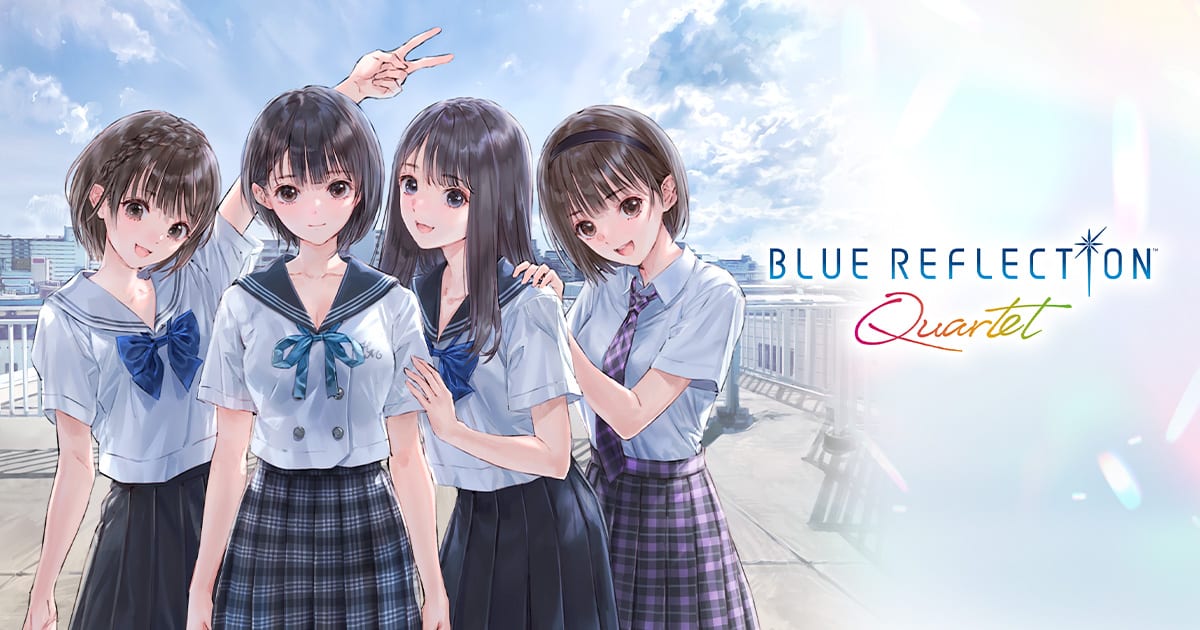
What the Reference Database actually is
From the Quartet launcher, two non-game modules sit beside the four title icons: the Reference Database and the Mel Kishida Gallery. Together they function as an in-box franchise encyclopedia—no browser tabs, no fan wiki spoilers you cannot control. KOEI TECMO confirmed interactive relationship charts, a timeline spanning BLUE REFLECTION through Second Light, a term glossary for Reflect jargon, and a Gallery archiving past promotional art plus twenty new Mel Kishida illustrations exclusive to this compilation.
Neither module replaces playing the games. They answer “who is this teacher?” and “does this event happen before SUN?” faster than reloading a save from twenty hours ago. This guide teaches when to open Reference, how to avoid spoilers, and where to cross-link Characters bios and Recommended play order planning.
Launching Reference from the main menu
After booting Quartet on PS5, Switch, Switch 2, or Steam, the hub presents icons for BLUE REFLECTION, RAY, SUN, Second Light, Reference, and Gallery. Reference and Gallery are available from day one, but individual entries may lock until you register story progress in linked games—Gust gates spoilers when you play out of order.
Best first-step workflow:
- Set text language in launcher settings per Languages and audio
- Skim Reference glossary entries for terms like Reflect, Ether, and Sephirot before starting Hinako’s campaign
- Avoid relationship charts for characters you have not met
- Return after each title clear for timeline comparisons
Database unlock progress does not transfer between Switch and Switch 2—another reason to pick one Nintendo SKU on Switch vs Switch 2.
Timeline mode — chronological clarity
The timeline view maps major story beats across all four titles. Use it when:
- You finish BLUE REFLECTION and want to see where RAY anime events sit relative to Hinako’s school calendar
- SUN rebuild episodes reference teachers from earlier arcs and you need confirmation without replaying
- You approach Second Light and optional dialogue name-drops Reflectors from games you skipped (not recommended for newcomers)
Timeline entries typically include date context, involved characters, and links to glossary terms. They complement but do not replace Walkthrough step lists—walkthroughs tell you what to do next; timelines tell you why events relate.
Spoiler-safe timeline habits
Quartet allows any play order, so the database may hide future-title rows until you flag progress. If an era looks empty, you simply have not unlocked that game yet. On replays hunting the teased completion bonus, unlocked timelines help verify you saw every canonical beat—log progress on Completion checklist.
Relationship charts — interactive cast maps
Relationship charts are the Reference headline feature highlighted in Famitsu and trailer coverage. Charts visualize bonds between classmates, Reflectors, faculty, and crossover cast from RAY and SUN. Interactive nodes usually reveal:
- School affiliations at Hoshinomiya Fu Girls’ High and successor settings
- Reflector team compositions per title
- Cross-game connections—how Shiho’s circle ties to Hinako’s class before Second Light reunions
Open charts after meeting a character in gameplay, then cross-check deeper bios on Character relationships and per-game hubs like SUN characters or RAY characters.
When relationship charts save sessions
- Mid-SUN when rebuild episodes introduce manga faces faster than memory allows
- Before Second Light recruitment quests for eight RAY/SUN party members—charts clarify who knows whom
- During RAY still exploration when anime condensation skips class introductions
Charts do not track your personal bond ranks or Free Time choices—they are lore maps, not save editors.
Term glossary — magical-girl vocabulary
The glossary collects franchise terminology reused across remasters, anime stills, manga rebuilds, and the open-world sequel. Entries define combat systems, school clubs, emotional motifs, and localization choices for English, Japanese, Traditional Chinese, and Simplified Chinese readers.
Pair glossary reading with mechanical pages:
- Combat systems for Timeline Gear rules in SUN and Second Light
- Fragments and bonds for emotional mechanics in BLUE REFLECTION
- Items when glossary entries reference consumables or equipment names
RAY players benefit most—limited combat means you spend more time reading still captions than checking stats.
Mel Kishida Gallery — art archive plus twenty new pieces
Character designer Mel Kishida defined BLUE REFLECTION’s pastel aesthetic. The Gallery module gathers historical key art, costume variants, and interface illustrations. Quartet adds twenty new Mel Kishida artworks not present in standalone releases—promotional-quality pieces worth browsing after major story beats.
Gallery uses:
- Wallpaper sourcing — high-resolution renders for desktop or phone backgrounds
- Photo mode reference — compare official designs to your Second Light shots on Photo mode
- Voice cast pairing — read character names beside portraits while listening to Japanese performances
- Personal completion goals — art hunters may treat full gallery views as unofficial 100% targets
Gallery art is official only—user-generated Photo Mode exports stay on your platform save.
Recommended Reference workflow by play order
Developers recommend BLUE REFLECTION → RAY → SUN → Second Light. Align Reference usage accordingly:
| After completing | Open Reference to… |
|---|---|
| BLUE REFLECTION | Compare Hinako timeline entries; preview RAY chart nodes |
| RAY | Reconcile anime stills with game events; read SUN teases |
| SUN | Study Shiho relationship web before Ao’s sequel |
| Second Light | Fill crossover charts; hunt missing glossary terms for bonus |
Deviating from order? Open glossary freely, but avoid relationship charts for titles you have not started—they spoil identities and twists.
Reference versus wiki pages on this site
This unofficial wiki mirrors Reference structure in Reference and Gallery and Characters sections. Use in-game Reference first during sessions without internet; use wiki pages for community tips, walkthrough steps, and Tier list planning Reference does not cover.
Platform and entitlement notes
All platforms ship identical Reference and Gallery files within the 55 GB class install noted on Platforms and requirements. Preorder cosmetic frames from Preorder bonuses do not affect database unlocks—they are Second Light Photo Mode overlays only.
Related guides
Continue with Getting started for launcher setup, Content changes for rebuild differences affecting timeline entries, and Launch checklist if you are configuring Reference during preload week.
Frequently Asked Questions
Quick answers to the most common questions.
What does the Quartet Reference Database include?
Interactive relationship charts, a cross-game timeline, a term glossary, and links to the Mel Kishida Gallery with twenty new artworks.
Can I use Reference before playing any game?
You can open it immediately, but many entries lock until you progress in linked titles to prevent spoilers.
How many new Mel Kishida artworks are in Quartet?
Twenty new pieces join the Gallery alongside historical promotional and in-game art from across the franchise.
Does Reference progress transfer between Switch and Switch 2?
No. Nintendo versions are separate products with no save transfer, including database unlock states.
Should I read relationship charts on my first playthrough?
Open charts for characters you have already met. Avoid future-title nodes until you reach that game in Recommended play order.
Is the Reference Database included without preorder?
Yes. Reference and Gallery ship in every SKU—preorders only add Photo Mode frames on Preorder bonuses.